

06 / AI AUTOMATION

AI automation for Fort Myers. More time for business.

The best place to start with automation is a task your Fort Myers business already understands. QuickWebX helps turn repeatable steps into connected workflows, using AI where it adds value and keeping a clear role for the people who run your business.

Let useful automation handle the repeat work.

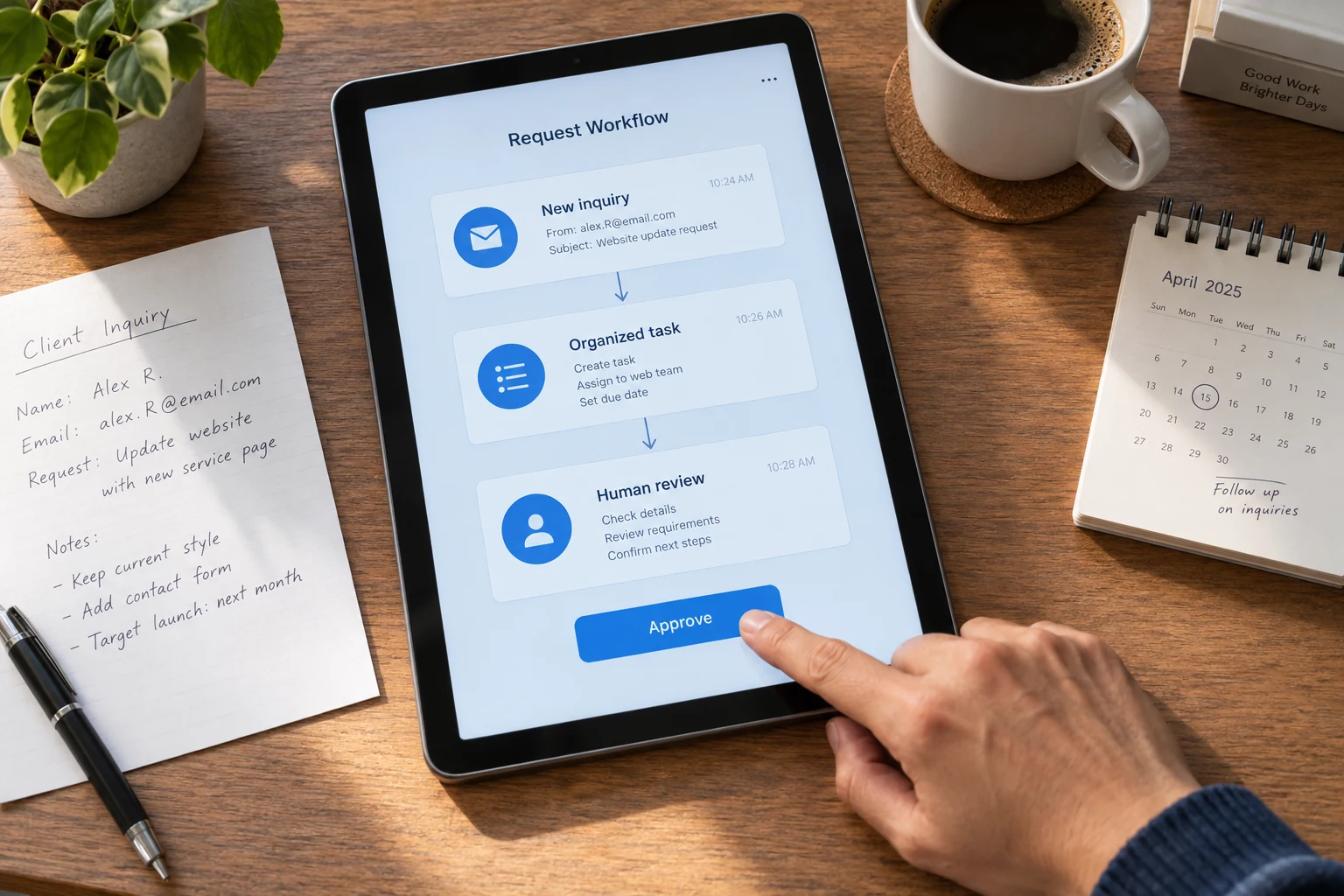
A business inquiry moving through an organized workflow on a tablet
LESS COPYING. MORE GETTING IT DONE.Workflow demo

Hi, I need help with a new website.
Can we talk this week?

EXAMPLE CUSTOMER INQUIRY
  1. Capture the inquiryKeep the original customer message
  2. Organize the detailsService requested: a new website
  3. Prepare a useful draftA suggested reply for your team
  4. A person reviews itYou decide what is ready to send

See how a repetitive task can move forward with a person in control.

THE SERVICE, IN PLAIN ENGLISH

What is
AI Automation?

AI automation uses software to help with repeatable tasks that involve messages, documents, or business information. It can draft responses, organize incoming requests, or support a website assistant. We define what it should handle, connect the relevant tools, and establish where your team stays involved.

Start with a useful process, then choose the technology. A custom app can give people the screens and controls they need. An ecommerce store can provide a clear starting point for order information and follow up.

Your business sets the direction. Custom design, development, and strategy shaped around your goals. No off the shelf website templates.

A team arranging a business workflow on a planning board
BUILT AROUND HOW YOU WORKUseful for your customers.
Useful for your business.

01 / THE WORK

Give routine questions a useful answer from your information.

A website assistant starts with the business information you approve. That can include service descriptions, areas covered, opening hours and the details someone should provide when asking for help. The assistant can use that material to answer familiar questions and guide the visitor toward a useful next step. It should explain the services you actually offer, rather than invent an answer to keep a conversation moving.

We define what happens when a question needs information the assistant does not have. It may ask for clarification, collect contact details or pass the conversation to your team. A request for a firm price or a decision outside the agreed rules should go to a person. This makes the assistant a practical first point of contact while keeping its role and limitations understandable for your staff.
02 / THE EXPERIENCE

Move a new inquiry into the tools your team uses.

An automation can connect the first message with the preparation your team normally repeats. For example, a website request could be organized by service, summarized and added to an agreed customer management tool. A team member could receive the summary with the original message attached. A draft response could then be prepared using approved information, ready for the person responsible to review and send.

Each connection has to be planned around the tools you use and the access they provide. We agree on the information that moves, the actions that can run automatically and the points that need approval. We also consider duplicate requests, incomplete details and failed connections. The aim is to reduce copying and sorting while keeping the original information available when someone needs to check the context.

03 / THE BUSINESS VALUE

Keep the workflow useful when a request does not fit.

A contractor may receive several evening inquiries that ask the same questions, followed by one unusual request that needs a detailed conversation. A scoped assistant could handle the routine information and collect the project location and description. It could then flag the unusual request for the team, with a short summary and the original conversation. The person replying starts with useful context instead of reconstructing the exchange.

Before wider use, the workflow needs examples that test both the straightforward requests and the awkward ones. We review whether it asks for missing details, respects the agreed limits and brings in a person at the right point. Scheduling, sending messages or changing records happens only within the approved rules. Your team can assess the prepared work and decide whether the automation is saving effort on a task worth improving.

READY FOR YOUR NEXT CHAPTER?

Which task keeps pulling you away from your work?

Tell us what your team repeats and what tools you already use. We’ll help identify a practical automation to start with and a clear way to judge whether it helps.

Request a quoteClear scope. Personal guidance. No pressure.

WHAT THIS MEANS FOR YOU

Make room for
the work that needs you.

Don’t just read about the possibilities.
Explore what could change for you.Choose a benefit. Slide to see the idea.

Less repetitive preparation

Use assistance for routine drafting, sorting, or information gathering, allowing your team to review prepared work rather than starting the same familiar task from scratch.

PICTURE THIS

Imagine a contractor receiving a familiar service question and reviewing a suggested reply prepared from approved business information instead of typing the same explanation again.

Let’s make it work for you

Useful context for your team

Collect and organize the details people share, so a team member can review the request and understand the conversation before deciding how best to respond.

PICTURE THIS

Imagine a contractor reviewing an organized inquiry that brings together the requested service, property location and original customer conversation.

Let’s make it work for you

A defined role for people

Choose which tasks need human review and which questions should be passed along, keeping the system's role clear as you test and refine its behavior.

PICTURE THIS

Imagine a customer asking about an unusual construction requirement that the assistant cannot answer from approved information, prompting a handoff to the contractor with the conversation attached.

Let’s make it work for you

Your business sets the brief. We custom build the solution around it.

PICTURE IT IN YOUR BUSINESS

Make repeat questions easier to handle.

An example of what’s possible

Imagine a Fort Myers contractor receiving similar website questions each evening. An assistant uses approved business information for routine answers and collects project details. Questions outside its scope go to the team, who can review the conversation and decide the next step.

  1. 01

    Ask a question

    Let visitors describe what they need in their own words.

  2. 02

    Get a useful response

    Use approved business information for routine answers and next steps.

  3. 03

    Bring in your team

    Pass along the details when a person needs to respond.

BUILT TO FIT YOUR BUSINESS

Useful from
day one.

  • Process review and a clearly defined automation use case
  • Workflow design with agreed tools and data connections
  • AI instructions, response boundaries and human review points
  • Scenario testing, handover and a plan for ongoing checks

REAL BUSINESSES. REAL WORK.

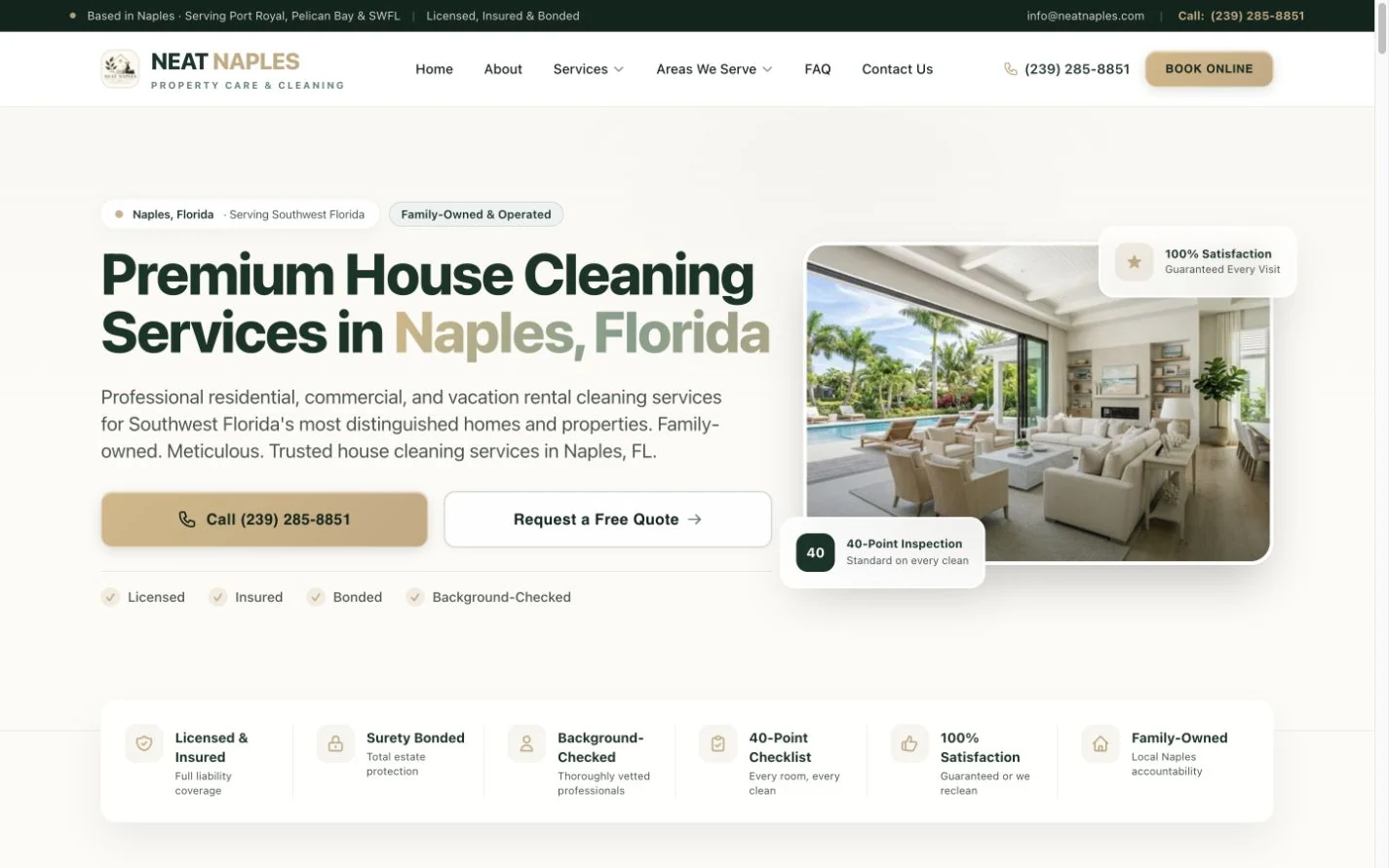
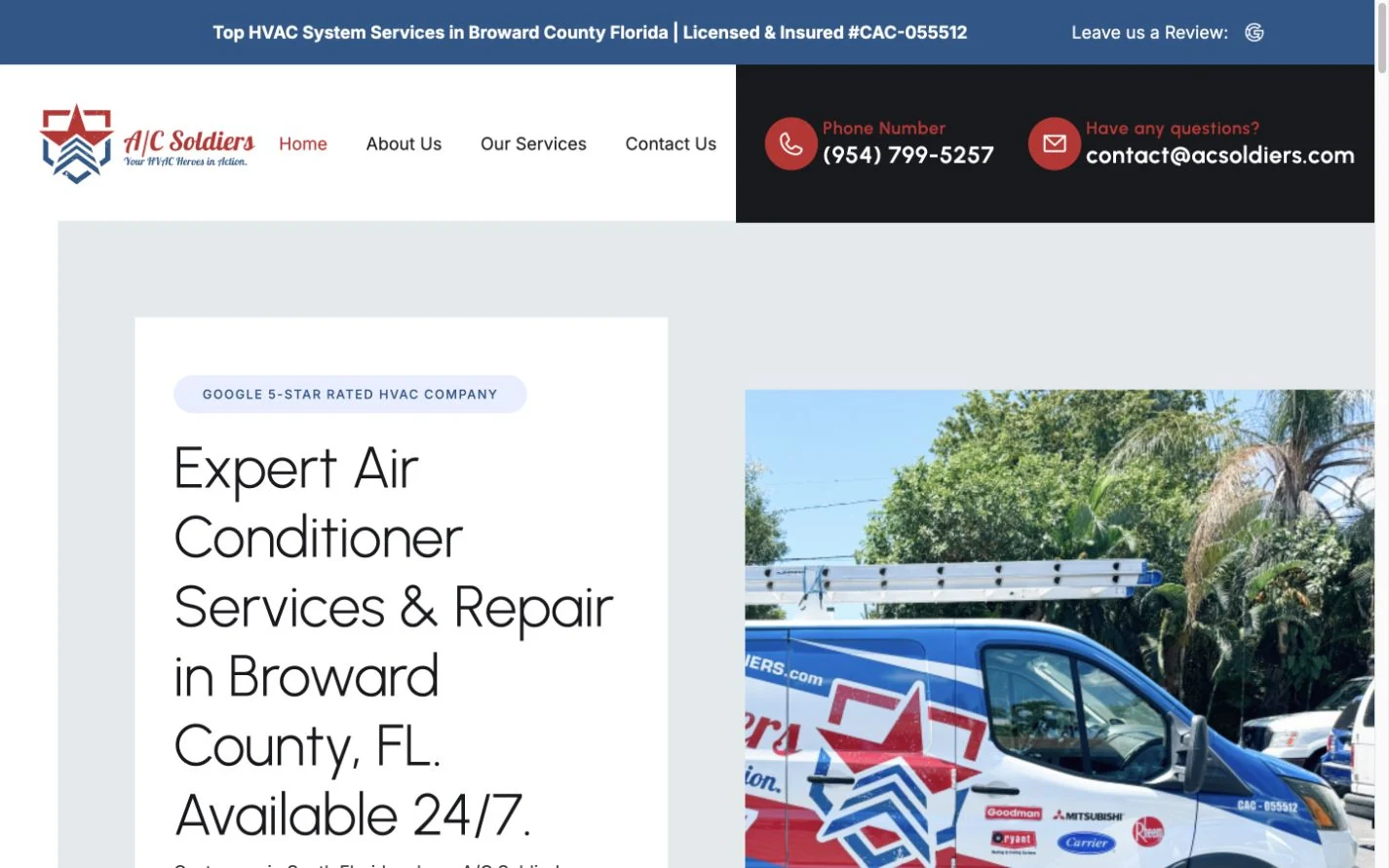
See the businesses we build for.

Website work for service businesses with everyday customer inquiries. These examples introduce the kinds of businesses we build for as we discuss your own automation needs.

Explore our website portfolio ↗

WHAT WORKING TOGETHER LOOKS LIKE

From a repeated task to a workflow you can review.

  1. 01

    Choose one task

    Identify a recurring request, preparation step or information handling task that takes time.

  2. 02

    Set the boundaries

    Define the source information, tools, allowed actions and points that require your team.

  3. 03

    Build and test

    Run realistic examples through the workflow and review the outputs and handoffs.

  4. 04

    Introduce it carefully

    Explain how the workflow operates and agree on the checks that will keep it useful as your business changes.

CONFIDENCE IN THE DETAILS

Helpful automation begins with a clear job description.

Choose one repeatable task, define the information it can use and decide when a person needs to take over. That makes the result easier to understand and assess.

Use the right source information

Agree on the business information and connected tools the workflow may use. Clear source material gives routine responses and prepared work a firmer starting point.

Give your team the right review points

Decide which actions can proceed automatically and which need a person to check them. Include a clear handoff for missing information or questions outside the agreed task.

Test useful and awkward examples

Review routine requests alongside incomplete or unexpected ones. Check the output and the handoff so the team understands the workflow’s boundaries before wider use.

Eddie, your direct contact at QuickWebX
A real person behind your project.

Work directly with Eddie, from the first conversation through the build.

Let’s talk

CONFIDENCE, FROM OUR CLIENTS

What working with us feels like.

Selected excerpts from client reviews about their experience with QuickWebX.

More Google reviews ↗
★★★★★Google review

“He truly listens to your needs and takes the time to help you find the best options.”

Neat Nest CleaningQuickWebX customer
★★★★★Google review

“Communication was great, everything was on time, and the website turned out better than we hoped.”

Samantha SturgeonQuickWebX customer

QUESTIONS, ANSWERED

AI Automation,
made clear.

What should we automate first?

Choose a frequent, repeatable task with a clear input and a clear result. Inquiry routing, information summaries and follow up preparation are useful examples to assess. Start small enough to measure whether it helps.

Will AI answer every customer question?

It should not be expected to. An assistant needs a defined information source and a way to hand off uncertain questions. We discuss the appropriate limits and review steps for your use case.

Does automation mean replacing my current tools?

Not necessarily. Existing systems may connect through supported integrations. We review access, data handling and ongoing provider costs before deciding which connections are practical and whether AI is needed at all.

Contact QuickWebX

Losing Jobs To Your Competition? Invisible On Google? Website Not Bringing You Jobs? Tired Of A Silent Phone? Let's Get Your Phone Ringing

Tell us what you want to achieve. We’ll help you find the right next step. Prefer to talk? Call 239-323-1527.

Send Us a Message

A real conversation about your business. Start with your name and email.

Tell us about your project. We’ll help you take the next step.

Prefer to talk it through?Book a free consultation Choose a time that works for you.

Business Hours Open Now

  • Monday9:00 AM to 6:00 PM
  • Tuesday9:00 AM to 6:00 PM
  • Wednesday9:00 AM to 6:00 PM
  • Thursday9:00 AM to 6:00 PM
  • Friday9:00 AM to 6:00 PM
  • Saturday9:00 AM to 6:00 PM
  • Sunday9:00 AM to 6:00 PM

☎ Calling after hours? No voicemail here. Our 24 hour virtual receptionist answers every call, day or night.

Follow QuickWebX

Two locations. One team.

Bonita Springs, FloridaOur second locationLas Vegas, Nevada

LET’S TALK ABOUT YOUR BUSINESS239 323 1527